

Shipments
Every label created for your orders, with carrier, cost, tracking, and full shipment detail.
Shipping → Shipments lists every label created for your orders.
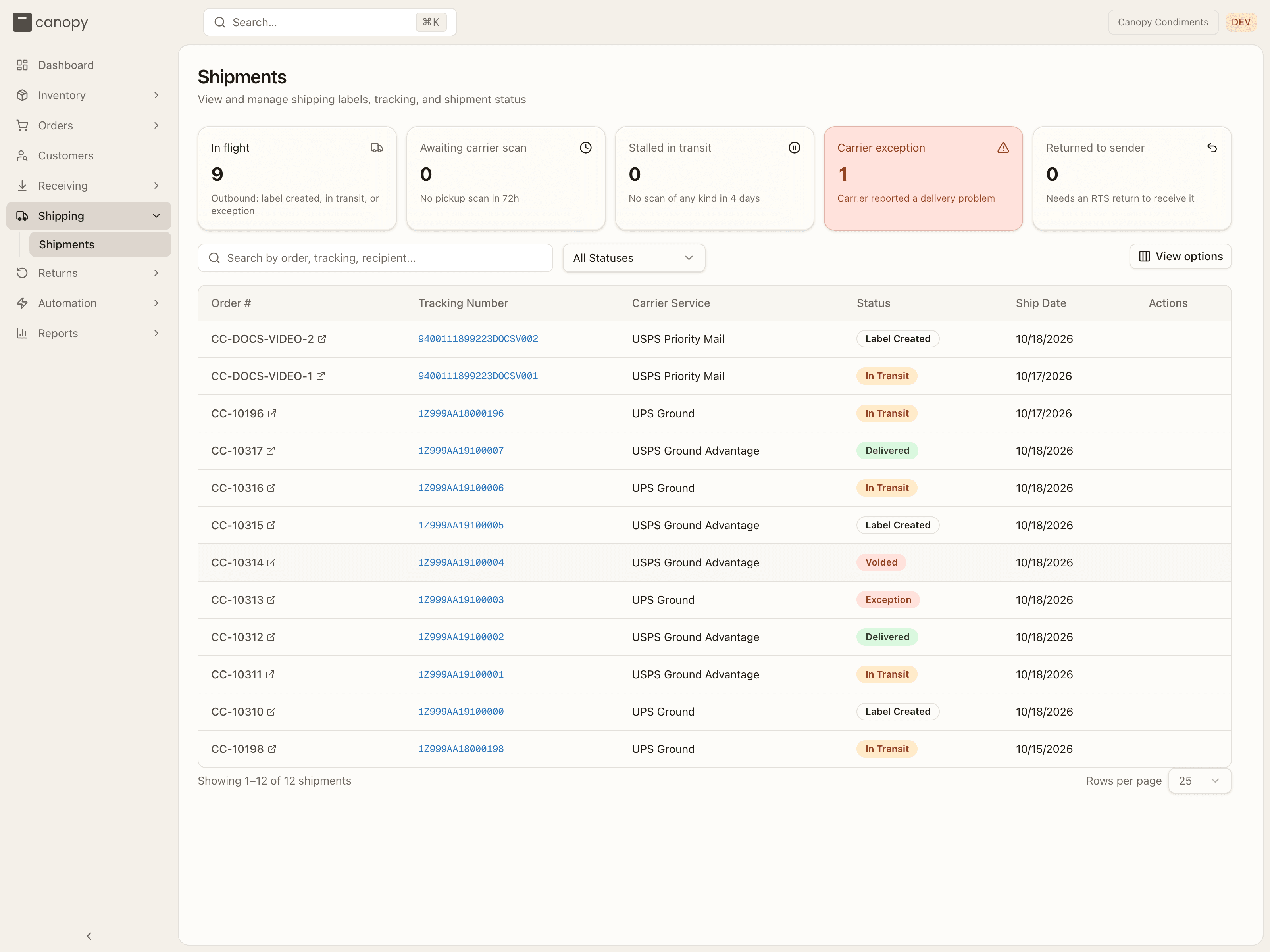
What needs attention
The row of cards above the list tells you what is moving and what is stuck. In flight counts every outbound parcel that is label-created, in transit or in exception. The other four are problems, and clicking a card filters the list to just those shipments (click it again to clear):
| Card | What it counts |
|---|---|
| Awaiting carrier scan | Labels the carrier hasn't picked up after the threshold (72 hours by default). |
| Stalled in transit | Parcels with no scan of any kind for the threshold (4 days by default). |
| Carrier exception | The carrier reported a delivery problem. |
| Returned to sender | Parcels the carrier sent back to the warehouse that your 3PL hasn't yet received as a return. |
A card only turns its warning colour when the count is non-zero. Parcels the system hasn't checked with the carrier recently are left out of the stall counts rather than reported as problems; when there are any, a note under the row says so with a View link.
The list
Search by order number, tracking number or recipient, filter by status, and sort on any column. View options lets you choose which columns show. Each row links to the order and to the carrier's tracking page, and the carrier service carries Signature / Insured chips when those services were requested for the label. The list is paged — the count and Rows per page sit under the table.
A row is one shipment, which is not always one box: when the warehouse ships a multi-box order on a carrier account that supports it, all the boxes travel on one shipment — one row, one tracking number and one cost for the lot.
| Status | Meaning |
|---|---|
| Label Created | Label generated; not yet scanned by the carrier. |
| In Transit | Moving through the carrier network. |
| Delivered | Delivered to the customer. |
| Exception | A carrier problem — delayed, undeliverable, etc. |
| Voided | The label was cancelled. |
RETURNED | The parcel came back to the warehouse on a return-to-sender. It shows as the raw token, and the status filter has no entry for it. |
Statuses past Label Created advance automatically from carrier tracking.
Shipment detail
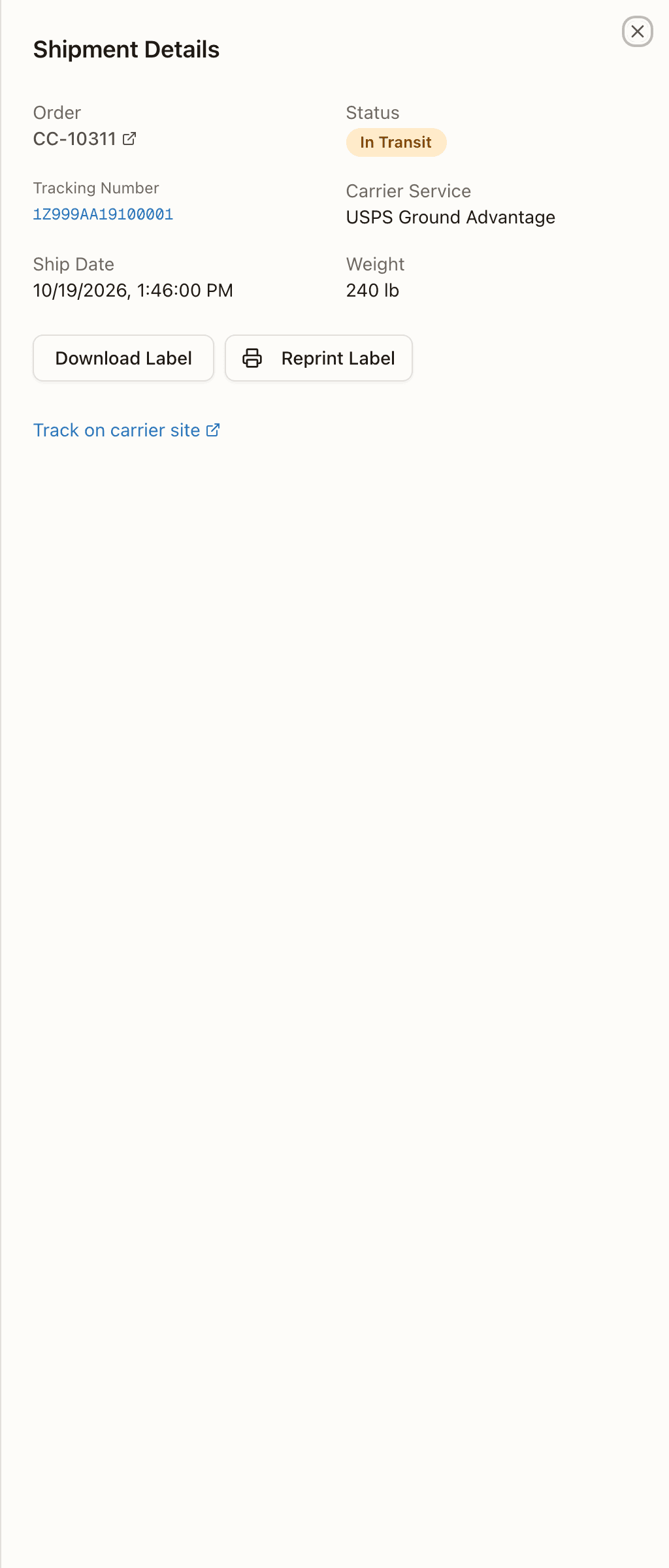
Open a shipment to see its full detail: the order, status, tracking number, carrier service, rate, tax and total paid, ship date, any Service Options requested (signature, insured value), weight and dimensions when the label carried them (on a shipment covering several boxes the weight is all of them together and the dimensions are the first box's), and — when the label file is stored — Download Label / Reprint Label. A label the carrier hands over before rendering its document reads "Label bought — the carrier is still rendering its PDF." with a Fetch label button until the file is in. A shipment in Exception opens with a red "Carrier reported an exception" banner quoting the carrier's latest scan. Below the facts, a Tracking Events timeline (labelled Live from carrier, Checked <time> or Not yet checked with carrier) and a Track on carrier site link.
A parcel your 3PL sent without a carrier label (a customer pickup, a hand delivery, an external courier) shows the service Generic Label and No tracking required; if the warehouse added a tracking number by hand, the sheet notes that carrier updates are not synced for it.
A held order's label
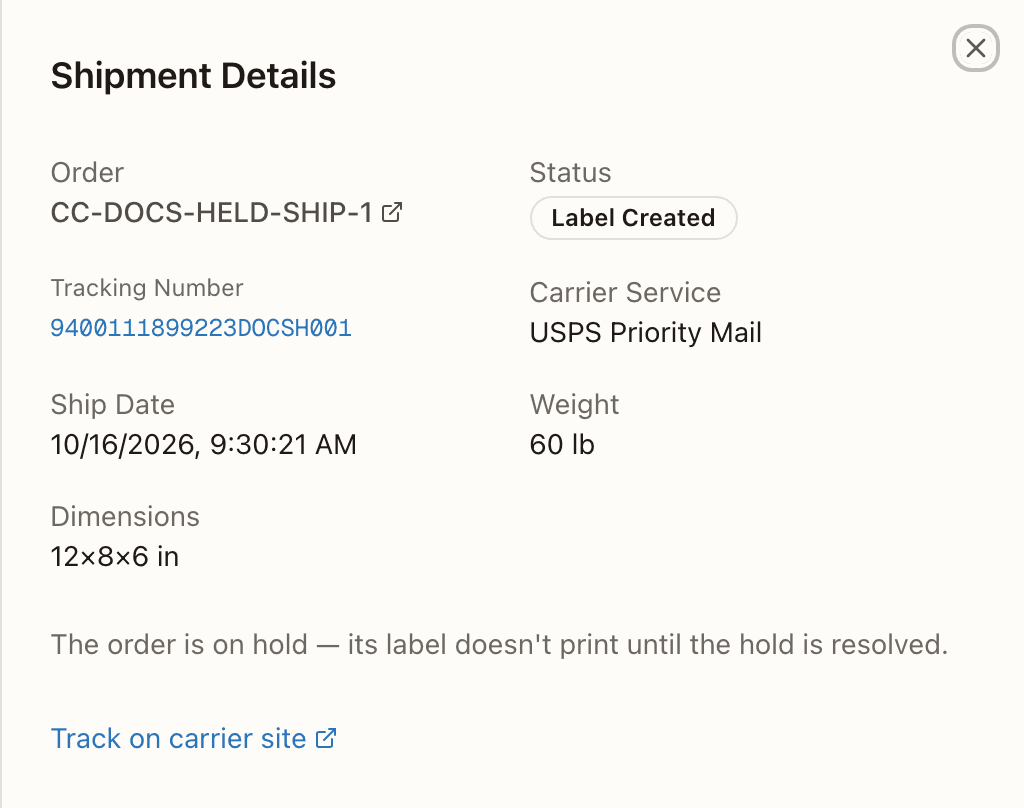
When an order is on hold, you can't download or reprint its label. A hold is a stop put on the order, by you, by your 3PL or by the system. The shipment's detail then reads "The order is on hold — its label doesn't print until the hold is resolved." in place of Download Label and Reprint Label. The label stays bought, and the buttons come back once the hold is resolved. You can see the order's holds on the order itself, in Orders.
You can view every shipment and its tracking. Voiding a label, reshipping an order, and receiving a returned-to-sender parcel are warehouse actions handled by your 3PL.