

Boxes to Pull
Find the box behind a change that landed after its label was bought or its freight was booked, and answer whether it's still here.
Warehouse staff only
The whole Fulfillment area — Pick Lists, Packing, Bulk Ship and Boxes to Pull
with it — is closed to CLIENT_USER. A brand never sees this page.
Fulfillment → Packing → Boxes to Pull (/fulfillment/boxes-to-pull) lists
every order whose box has to be found and answered before a change can go
through — the box is already behind a live label, the order is wholesale
with a booked carton label or freight, or a merged master's box is pulled
back to take a child order out of the merge, so the change can't just be
written.
Each row polls every 10 seconds, so another person's answer, a carrier scan, or a fresh change all move the list without a refresh.
The page has two tabs, Boxes to pull and Boxes to unpack, each with a count badge.
Boxes to pull
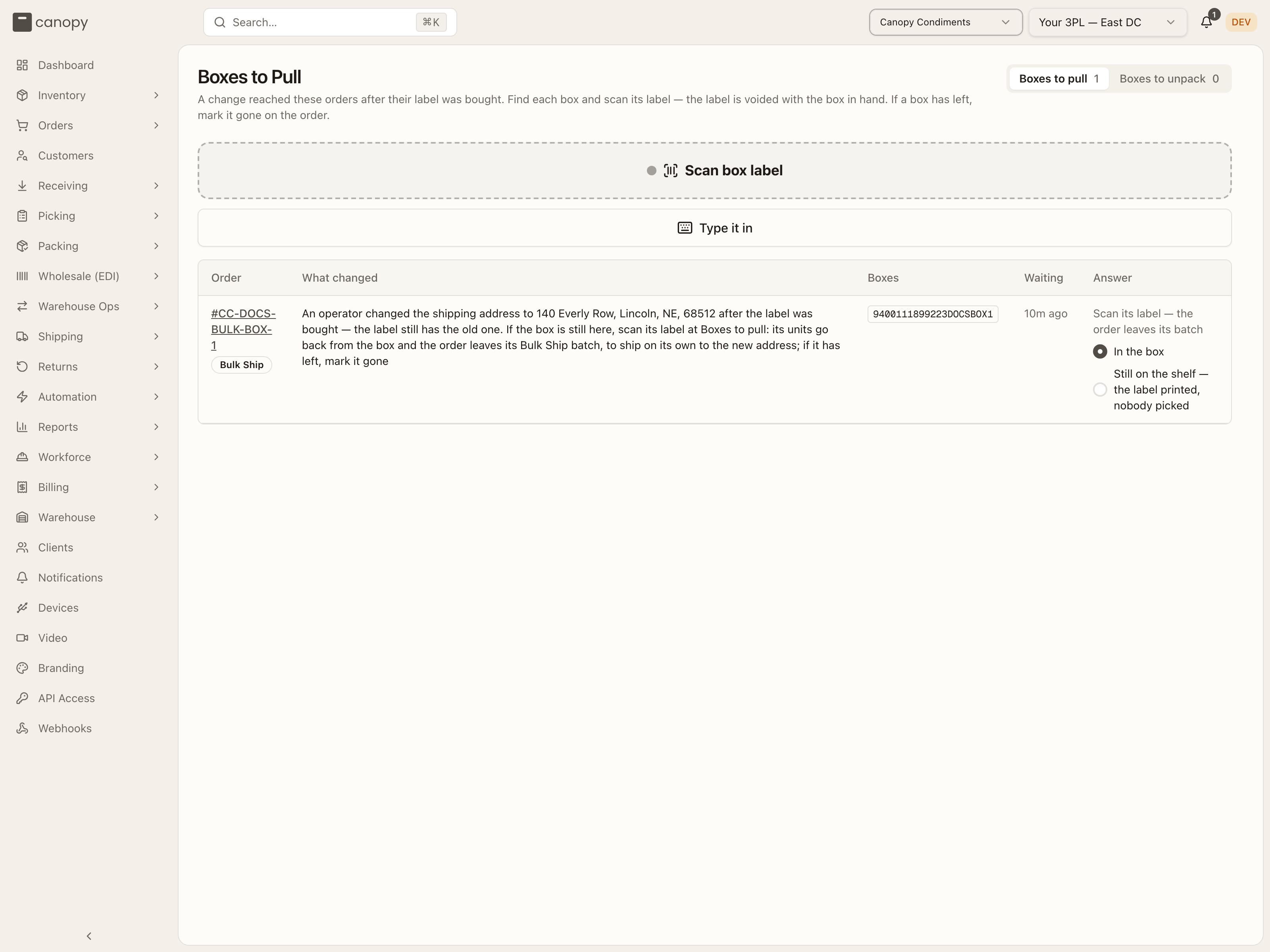
| Column | What you're looking at |
|---|---|
| Order | The order number (opens it) and, underneath, either a Bulk Ship batch #… link or a badge for what kind of box it is: Retail, Wholesale cartons, or Freight. |
| What changed | One line per change the order is waiting on. |
| Boxes | Every box of the order as a chip — ticked once named, with Confirm on a chip with no barcode to scan (a generic label). |
| Waiting | How long ago the change landed. |
| Answer | What to do next — see below. |
Answer reads differently depending on the row:
- Found already — the box was already found (e.g. unpacked at pack-out) and its change is waiting on the order, not on a scan here: "Found — its boxes are answered" or "Found — unpacked into tote …", with a link to Apply or keep the change on the order.
- A batch box picked on its own page — answered there instead: a link to Answer on batch #…'s page.
- Freight — a Freight still here button (see below); freight is never scanned.
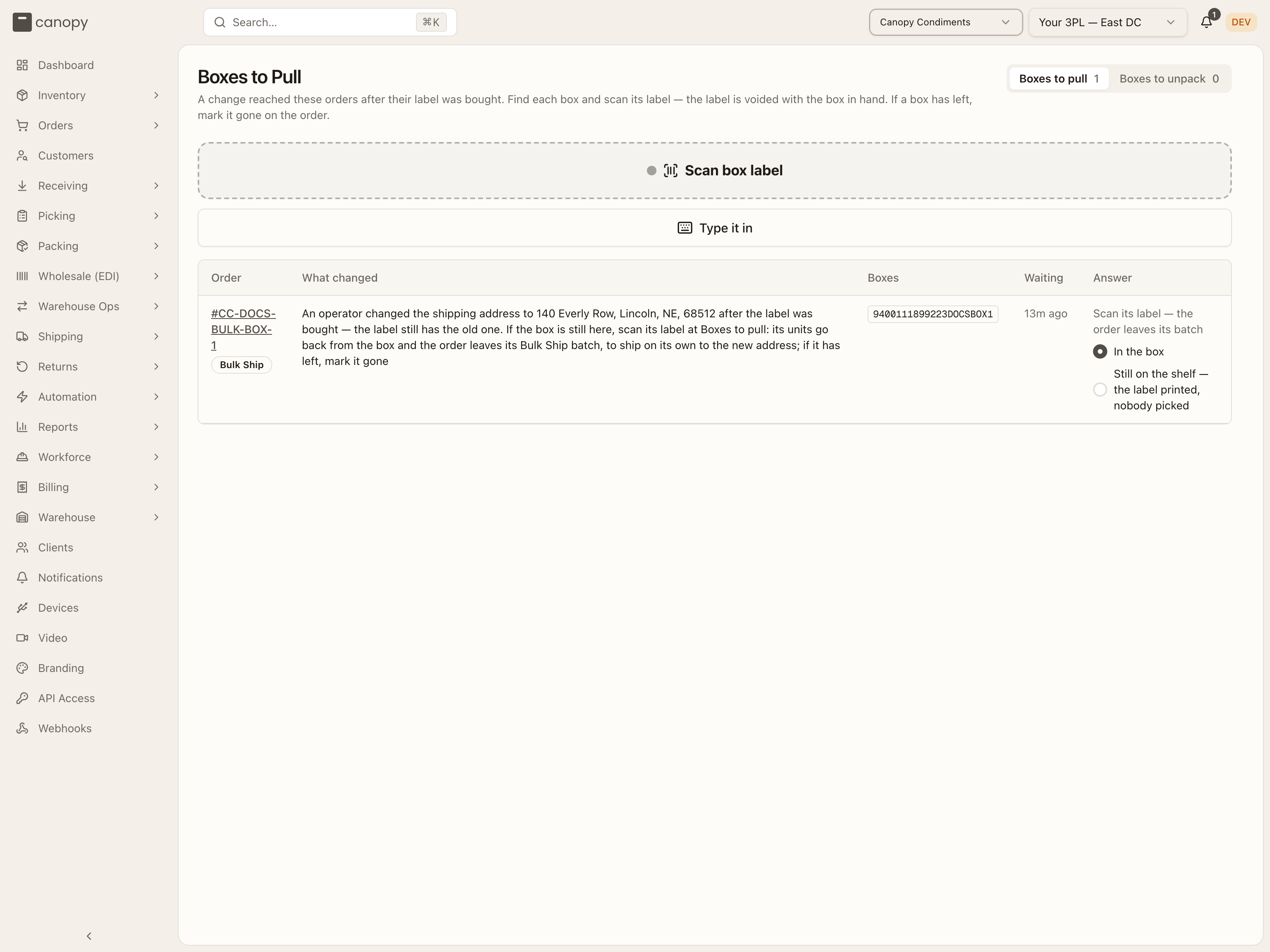
- Anything else — "Scan every label"; a batch's box being answered for a whole-batch cancel reads "Scan its label, or answer all here on the batch", and a live Bulk Ship member's own box — held behind a change made after its label, not a cancel — reads "Scan its label — the order leaves its batch".
Scanning a box
The scan field at the top takes any box's label — a carrier tracking barcode, or a generic label's order-number barcode — and names it against whichever order is in progress. Scanning an order's last unnamed box submits the answer automatically; a box with no barcode is named with its chip's Confirm button instead. A scan for the wrong order, or a number two open orders share, is refused with a message that names the order to open or scan for first; Start over clears whatever's been scanned so far.
Telling it where the units are
A live Bulk Ship member's own box — held behind a change made after its label, not a whole-batch cancel — can be answered right here when its batch was picked on its own page before any label printed. Its row adds a Where are its units? choice: In the box, or Still on the shelf — the label printed, nobody picked, for a batch whose paper went out before picking finished. Pick the one that matches what's physically true, then scan the label.
What happens once every box is named
- An address change (a live label, retail) — the box is relabelled where it stands: the old label is voided with the box in hand, the new address is written, and the same service is bought again — no tote, no unpacking. The toast reads "Order #… relabelled to the new address — print the new label", naming the new label(s) to print from Shipping → Shipments. If the new label's purchase fails, the toast says so instead and the order keeps the new address with that one box unlabelled.
- The carrier already has it — the void is refused: the order ships as it stood, and gets an after-ship note for the brand to correct the address with the carrier themselves — see a shipping address changed behind a live label.
A left box gets its own warning
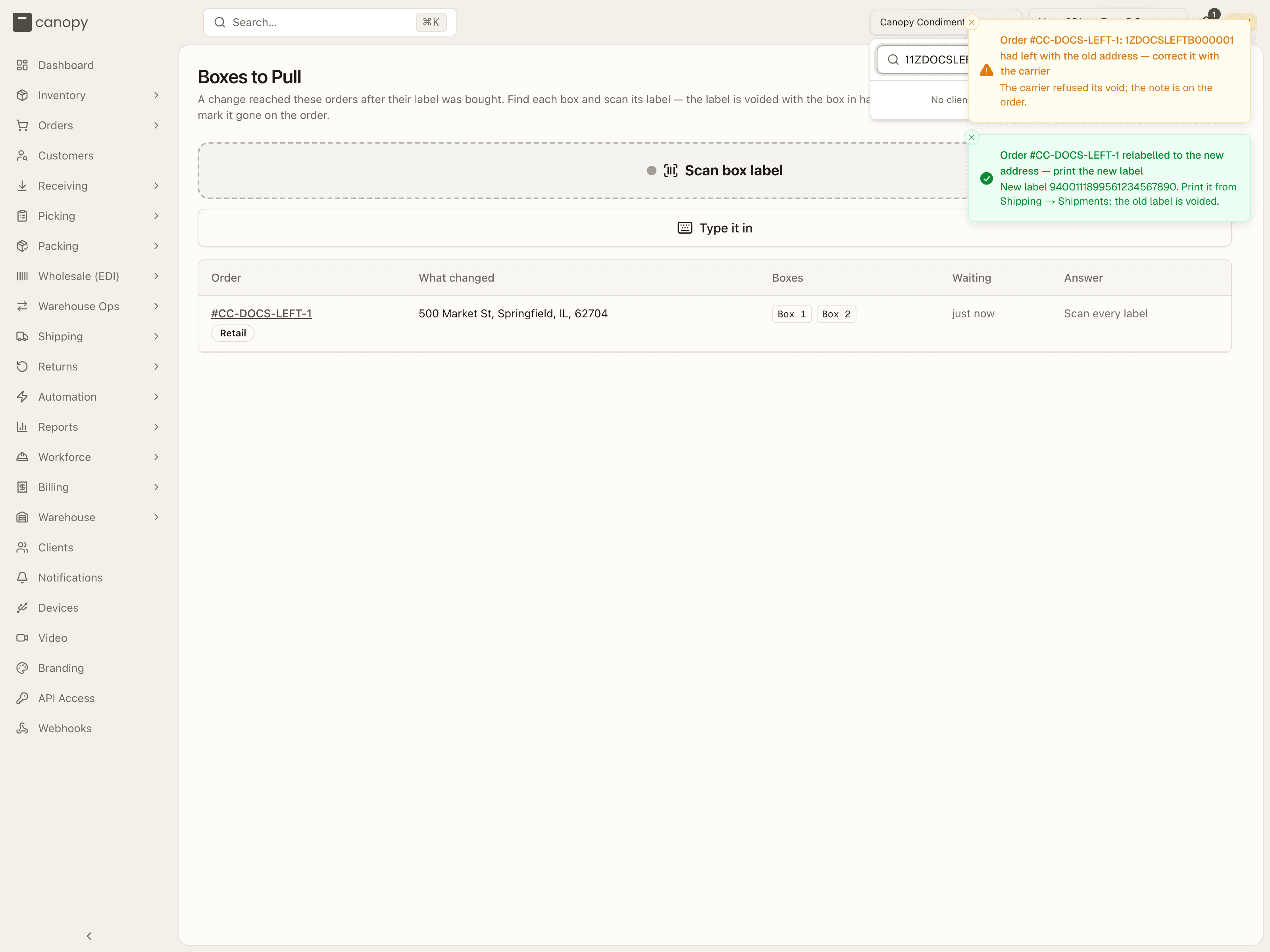
A box the carrier refused to void never reads as a failed purchase. It gets its own warning toast, separate from any label that was bought: "had left with the old address — correct it with the carrier", with the description "The carrier refused its void; the note is on the order." A relabel that succeeds for the order's other boxes still shows its success toast alongside it.
If the carrier scans a box's label after it was voided here, the box had already left with whatever it was packed. The order re-lands on the parcel exactly as it shipped. The put-back staged for the box is matched back off. Its pack session is completed again, or, for a Bulk Ship box you answered here with no pack session, its batch is. The order then lands as fulfilled or partially shipped, whichever units it still owes. If the label was made live again since, re-landing refuses instead: "That label isn't voided any more — re-land its order by hand."
- A retail box with no address change — the labels are voided and its contents go into the empty tote you scan next; the change then applies (or waits for you to Apply or keep on the order, if it can't apply on its own). This is also how a merged child comes out behind its master's label: pulling the master's box back and naming it here answers Apply (the child comes out) or Keep (the box is re-packed and the child ships in it) on the master's order.
- Wholesale cartons — every carton's label is voided and the cartons reopen; the toast reads "cartons voided and reopened — change applied".
- A Bulk Ship batch's box — put back from the box itself. A whole-batch cancel reads "its box is put back from the box itself", noting if that closes the batch as cancelled; a live member's own box, answered behind its own change, reads "Order #… left its Bulk Ship batch — change applied" instead, and the change it was waiting on then runs on the order.
Freight still here
A wholesale order whose freight is already booked is never scanned — press Freight still here on its row. The confirm dialog, "Is order #…'s freight still on the dock?", cancels the booking with the carrier and then makes the change; Not yet backs out, since a truck that already has the freight needs the order marked gone instead.
Boxes to unpack
A Bulk Ship batch's own boxes, put back from the box itself when the batch was cancelled — each stays listed, with its box id, contents and order, until its put-back tasks are done. A box leaves the list the moment those tasks finish; nothing is answered here directly.
How to answer a box whose address changed behind its label
Open Fulfillment → Packing → Boxes to Pull, on the Boxes to pull tab.
Find the order (or let the scan find it) and scan every box listed for it — a generic label by the order-number barcode on it, or Confirm a chip that has none.
Once every box is named, the box is relabelled automatically: the old label voids and the new one prints. Print the new label from Shipping → Shipments — the toast names it.
If the carrier already has the box, the scan tells you instead — the order ships as it stood, with a note for the brand to fix the address with the carrier themselves.
Packing
Pack orders at the station or on the classic stepper, manage box sizes and printers, and bulk-ship batches of identical orders.
Pack Video
A camera over a pack bench records every pack. Find the clip of any order by order number, tracking number or SKU, watch it with a tick per scan, and see why a pack has no clip.