

Customers
Look up any shopper across all your clients, with their full order and return history and lifetime spend.
The Customers section is a lookup of everyone who's bought from any of your clients, built automatically from orders and returns — there's nothing to import or maintain. Client users can open it too; they see only their own brand's shoppers.
Searching
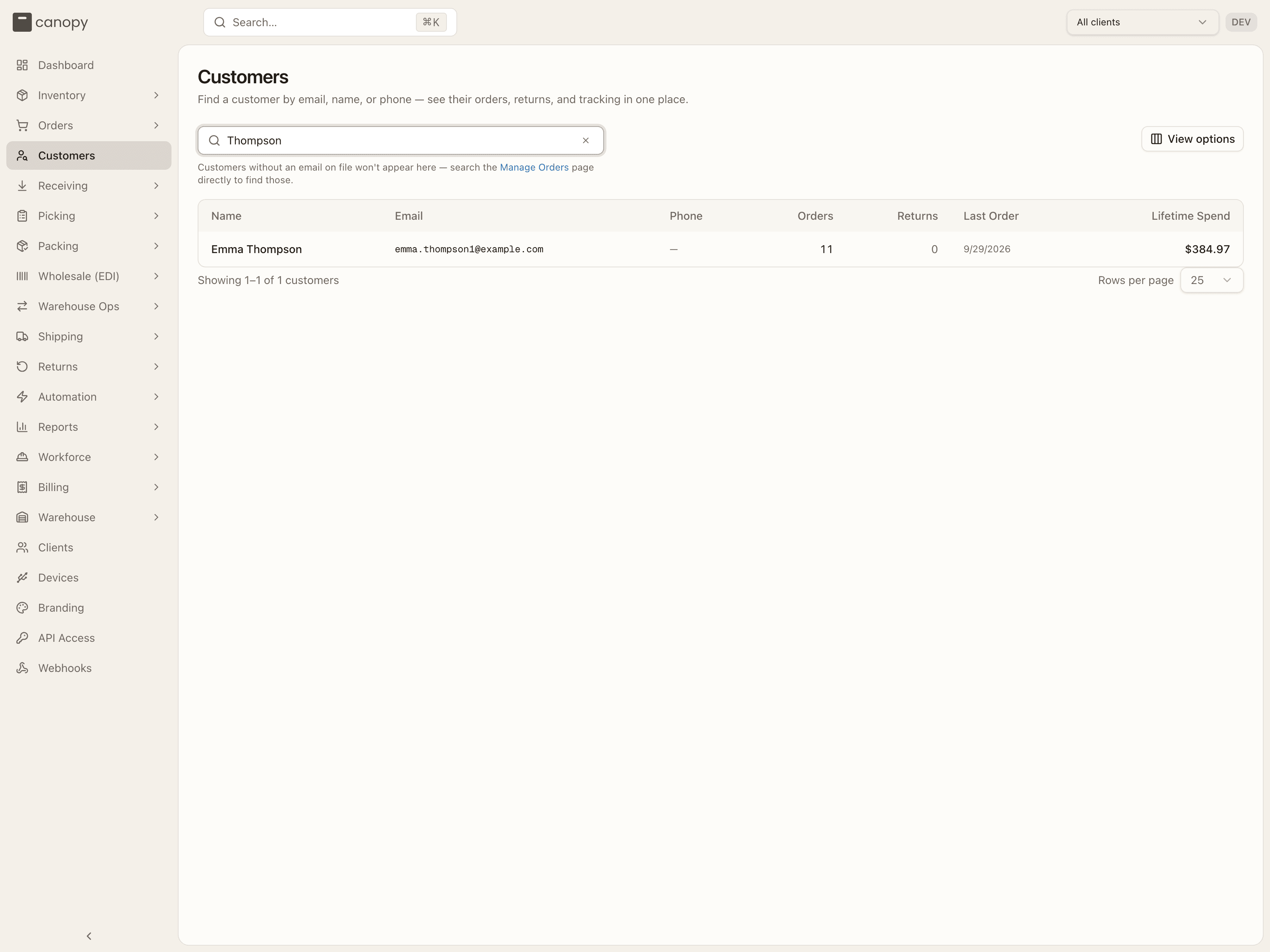
The list is search-first: start typing to find a customer by email, name, or phone. Until you search, you'll see a prompt to start typing; a search with no hits reads "No customers match that search". With no client pinned you search across all clients; pin one to scope the search to that brand.
Each result shows the customer's name (or "No name on file"), email, phone, orders and returns counts, last order date, and lifetime spend. The returns count renders as an amber badge when it's above zero — a quick flag for serial returners. View options shows or hides columns, and the footer pages through results at 25 / 50 / 100 / 250 rows per page.
Customers are order-anchored: the list is built from the Order table and a profile needs at least one order, so a shopper with only a blind RMA (no order) never appears here. They're keyed by email, so a shopper's orders group together across channels; those with no email on file won't show up (the note under the search box points you to Manage Orders for those). Lifetime spend sums only orders in the customer's most recent currency, excluding cancelled — so it isn't a true all-currencies total for a shopper who ordered in more than one. An order others were merged into counts its own lines only, here and in the Orders tab's total, so a merged order's money is neither counted twice nor credited to the wrong shopper. The returns count includes the shopper's own returns — customer returns and blind RMAs raised under their email alike — but not an RTS parcel the carrier brought back, which isn't the shopper returning anything.
Customer detail
Click a customer to open their profile — three summary tiles (lifetime spend, orders, returns) and two tabs, each with its count in the tab label:
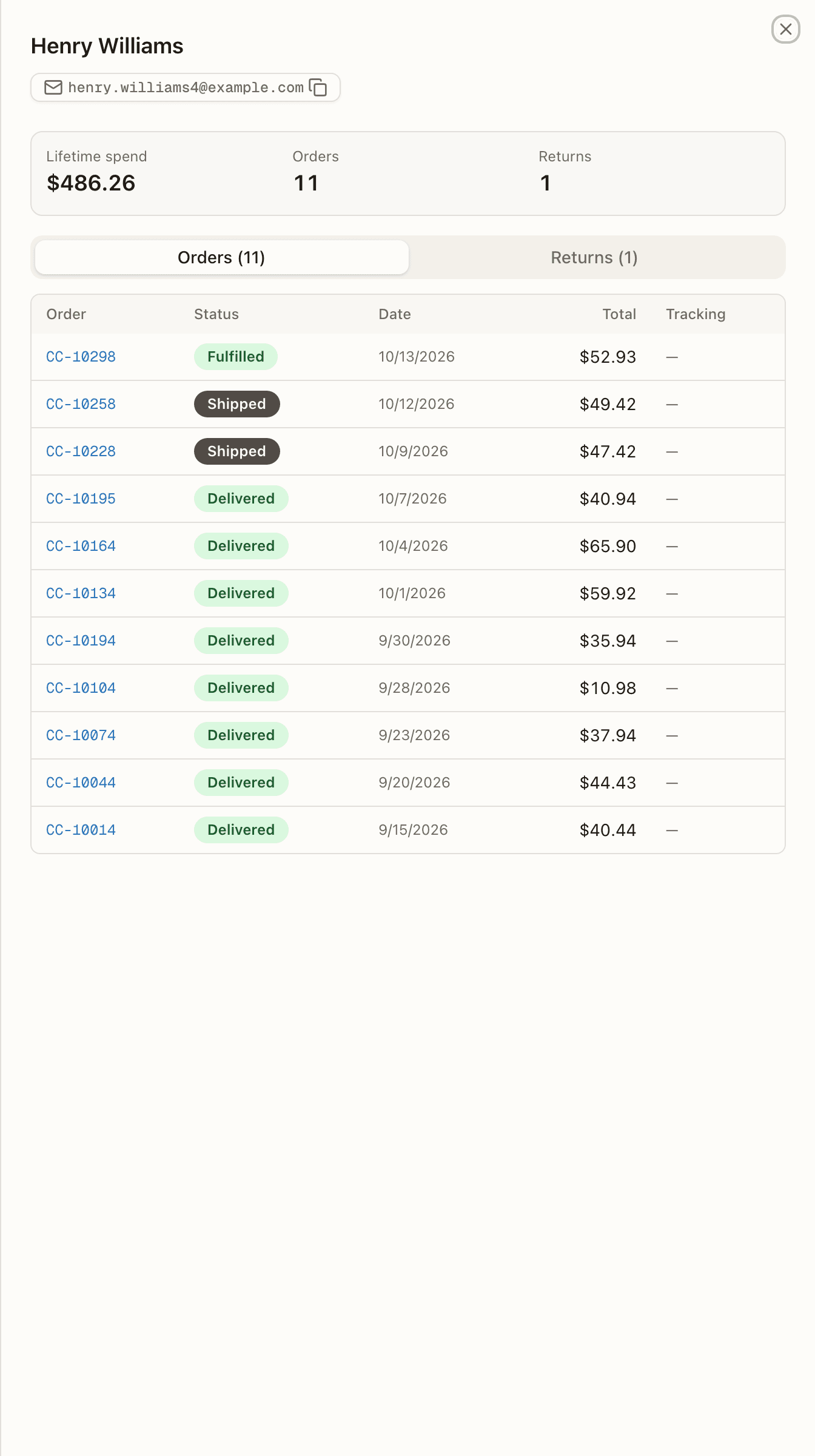
Orders — every order they've placed (the most recent 200), each with its status, date, total, and tracking number. The status badge uses the same friendly labels as Manage Orders — Shipped, Backordered, Partially Shipped, Replenish, Ext. Fulfilled (the Returns tab below still shows raw values, so the two tabs read differently on purpose). Cancelled orders show dimmed and are excluded from lifetime spend. An order split across warehouses is one order in the tiles: the Orders tile and lifetime spend count the customer's order once, and its spend drops out only when every warehouse's order of it is cancelled. The tab still lists each warehouse's order, so its count can run higher; the other warehouses' orders wear the split chip naming the customer's order ("Part of CC-…, split across warehouses — open it"), which opens it. The tracking number is the latest shipment's, and it's a link to the carrier's tracking page (opening in a new tab); it renders as plain text when no carrier URL is known.
Returns — their RMAs (RMA #, order, status, reason code, refund), again
capped at the most recent 200. The status is the raw value —
PENDING, IN TRANSIT, RECEIVED, INSPECTING, COMPLETED, or
CANCELLED — so a voided RMA reads CANCELLED here even though the
Returns list calls it Voided. The
refund badge is one of NOT REQUESTED (the default — seeing it is
normal), READY (queued), ISSUING (amber — a refund attempt is in flight
or its outcome is unconfirmed; the RMA page shows this as "Refund
unconfirmed"), ISSUED (money sent), or FAILED. A blind return lists
with no order and no refund badge at all — nothing is ever refunded on one.
The order number and RMA number are links — clicking an order opens it in Manage Orders, an RMA opens its return. The header email and phone are click-to-copy chips (the icon flips to a check) — the quickest way to grab a shopper's contact details when following up.
This is the view for when a shopper asks "where's my order?" or "did my refund go through?" — their whole history on one screen.
Notifications
The bell, the feed, and the subscriptions behind them — how warehouse staff get told that an order went on hold, a PO came in short, or a parcel stopped moving.
Automation
Rules that fire automatically as orders flow through — warehouse routing, postage, holds, order lines, packing, box selection, and replenishment.